

MS Office Training · Offline in Baguiati
A good MS Office course in Kolkata teaches you to use Word, Excel and PowerPoint for real office work, not just to click through menus. At Technosoft Academy in Baguiati, the 12-week OfficeSmart programme does exactly that: 72 hours of offline classroom training, starting from ₹3,950 + GST, for anyone who wants to feel confident at a computer and ready for everyday office tasks. This guide explains what you learn week by week, who the course suits, what it costs, which jobs ask for these skills, and where to go next once the foundation is in place.
We wrote it the way we explain things to students who walk into our centre on VIP Road. Most of them ask the same five questions: what will I actually learn, how long will it take, what will it cost, will it help me get a job, and what should I study after this. You will find a straight answer to each one below, including the places where the honest answer is “it depends on you.”
In this guide
- Why office skills still decide who gets the desk job
- What a MS Office course should actually teach
- Who this course is for
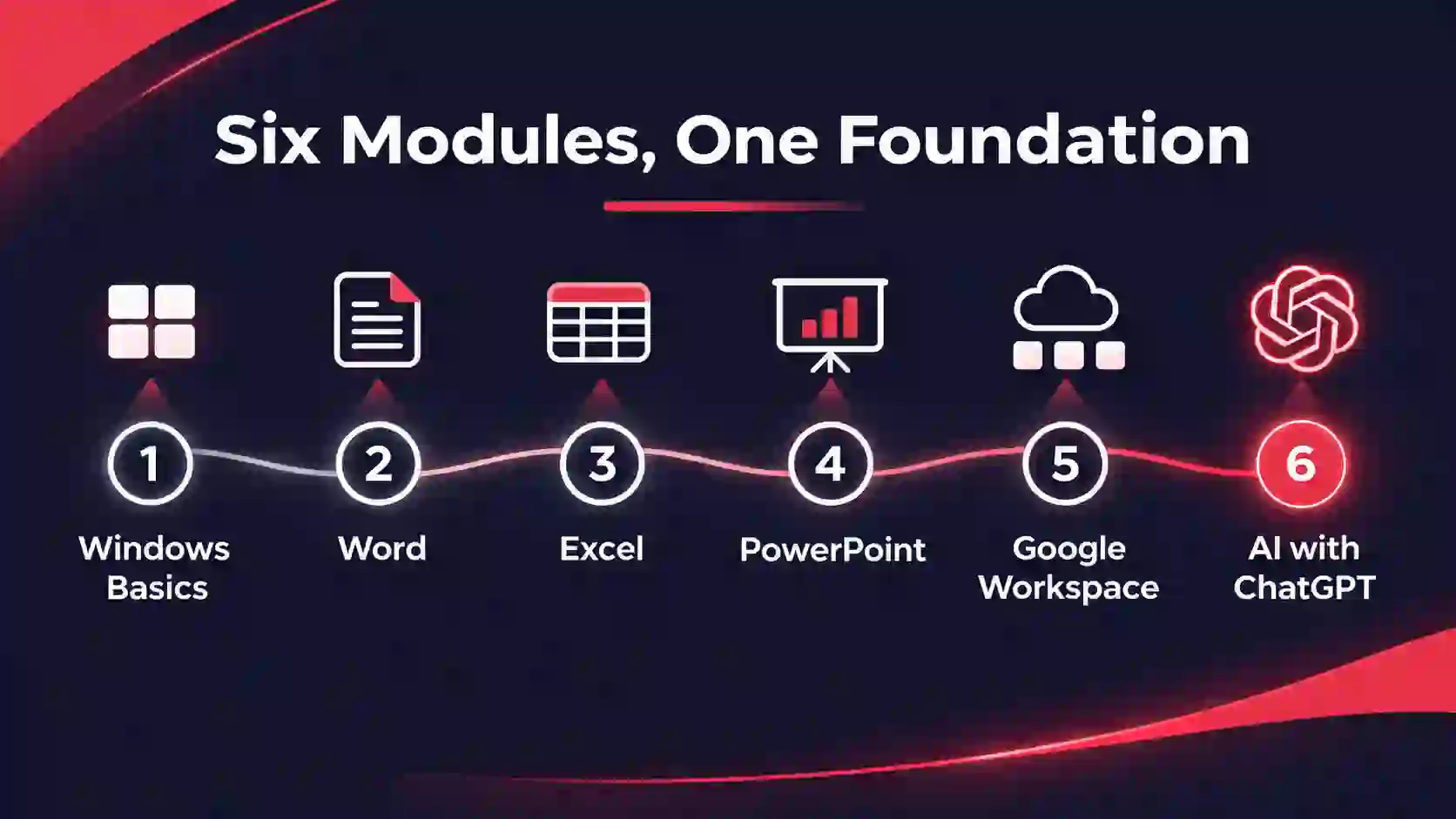
- What you learn: the syllabus in six modules
- The 12 weeks, week by week
- Fees, duration and batch timings
- What you can do after 12 weeks
- Office jobs that ask for these skills
- How to compare courses before you pay
- Your next step, based on your goal
- Three typical students
- Why learn at Technosoft Academy
- Frequently asked questions
Why Office Skills Still Decide Who Gets the Desk Job
Ask any office manager in Salt Lake, Rajarhat or Dum Dum what they wish new staff could do on day one, and the answer is rarely something exotic. They want someone who can type a clean letter, put numbers into a spreadsheet without breaking it, build a short presentation, send an email with the right attachment, and find things on the internet without clicking on the wrong link. These are plain tasks, and they fill most of the working day in accounts departments, school and college offices, clinics, small factories, travel firms, insurance branches, logistics companies and family businesses.
Yet a large number of people reach their first job interview having used a computer only for videos and WhatsApp. They can open a file, but they cannot tell you why their table jumps to the next page, why the total in their sheet looks wrong, or why the presentation looks different on the projector. The gap is not intelligence. It is practice, and practice is hard to get alone because nobody gives you a real office task to do and then checks the result.
That is where a classroom helps. A teacher sitting next to you spots the habit you did not know was a habit: typing spaces to line up text, merging cells that should not be merged, writing a total by hand instead of using a formula. Correcting these early saves you years of slow, messy work later.
There is also a newer reason to learn the basics properly. Tools like ChatGPT now help people draft emails, summarise long documents and explain formulas. They work best for people who already understand what a good document or a correct spreadsheet looks like. If you cannot judge the output, you cannot trust it. So the foundation matters more now, not less.
What an MS Office Course in Kolkata Should Actually Teach
Before looking at our syllabus, it helps to know what to expect from any course of this kind. A useful course has four qualities, and you can check each one before you pay.
- It gives you real tasks, not slides. You should finish with files you made yourself: a formatted letter, a salary sheet, a short presentation. Watching a teacher demonstrate is not the same as doing.
- It spends enough hours. A 10-hour crash course can show you where the buttons are. It cannot build speed or confidence. Look for total hours, not just the number of weeks.
- It keeps batches small. When a class has 30 people on 15 computers, you wait for your turn. A batch of 8 to 12 students, each with their own machine, lets the teacher actually look at your screen.
- It stays honest about level. A basic course should say it is basic. If a short course promises “complete Excel mastery,” be careful. Advanced topics like pivot tables, macros and data analysis need their own time.
Our OfficeSmart course was designed around these four points. It is a foundation course. It does not try to make you an Excel expert in twelve weeks. It makes you a comfortable, careful computer user who can handle office work and who knows what to learn next.
Who This Course Is For
This MS Office course in Kolkata starts from zero. You do not need any earlier computer knowledge, and you do not need to type fast. Most students join after Class 10 or Class 12, but we also teach graduates, working adults and people returning to work after a break. Here are the groups who benefit most.
Students after Class 10 or 12
Build the base early
- Learn the tools every college project uses
- Prepare assignments and presentations properly
- Pick a career course with a stronger base
Graduates and job seekers
Close the skills gap
- Fill the “computer knowledge” line on your resume honestly
- Handle a typing, Excel or presentation test
- Work comfortably in a real office
Accounts, admin and MIS staff
Work faster, make fewer errors
- Replace manual totals with formulas
- Format reports so they print correctly
- Share files and sheets with your team
Small business owners
Run your own paperwork
- Make quotations, invoices and price lists
- Track stock and expenses in a sheet
- Present your business to clients
Homemakers restarting a career
Return with confidence
- Start from the very beginning, at your own pace
- Learn in a small, patient batch
- Pick a morning or weekend slot
Senior learners
Stay connected
- Use email, video calls and online forms
- Browse and download files safely
- Learn without pressure
If you are a B.Com, BBA or BA student deciding which course to take first, our guide on the best computer course for B.Com, BBA and BA students in Kolkata explains how this foundation connects to Tally, Advanced Excel and other options. If you are still in school, read our post on computer classes for school students in Kolkata, which covers what to learn from Class IV to XII.
What You Learn: The Syllabus in Six Modules
The course has six modules. Each one ends with a small task that you complete in class, so you leave every module with something you can show. Below is a condensed view. The full topic list, with examples, is shared when you visit the centre.
Computer Fundamentals and Windows
Get comfortable first
- Parts of a computer and how they work together
- Navigating Windows without fear
- Files, folders, saving and searching
- System settings and everyday operations
MS Word
Documents that look professional
- Typing, formatting and page layout
- Tables, lists, headers and footers
- Letters, applications and resumes
- Printing and saving as PDF
MS Excel (Basic to Intermediate)
Numbers you can trust
- Entering and organising data
- Formatting sheets for clear reading
- Everyday formulas for totals, averages and conditions
- Charts that explain the numbers
MS PowerPoint
Say it clearly on a screen
- Planning slides before building them
- Layouts, images, charts and simple animation
- Presenting with confidence
Internet, Email and Google Workspace
Work online, stay safe
- Browsing, searching and verifying information
- Professional email and safe downloads
- Google Docs, Sheets, Slides, Forms and Drive
- Cybersecurity habits for daily use
Basics of AI with ChatGPT New
Use AI as an assistant, not a crutch
- Writing good prompts for office tasks
- Drafting emails and summarising text
- Checking AI answers before you trust them
- What never to paste into an AI tool
Two choices in this syllabus are worth explaining. First, Excel stops at basic to intermediate level on purpose. Most office tasks need clean data entry, careful formatting, reliable formulas and a good chart, and a beginner who learns these well is far more useful than one who half-learns pivot tables. Students who want to go further move on to Advanced Excel Pro. Second, we include Google Workspace and basic AI skills because many offices now use Google Sheets and Forms alongside Microsoft tools, and many employers expect you to know how to use an AI assistant sensibly.
The 12 Weeks, Week by Week
Classes run three days a week for two hours each. Here is how the weeks are planned. The order may shift slightly between batches, but the sequence stays the same: basics first, then Word, then Excel, then presentations, then online tools and AI, ending with a project.
Weeks 1 and 2: Settle In
- Computer parts, Windows, files and folders
- Keyboard and mouse habits
- Basic typing practice
Weeks 3 and 4: Word
- Formatting, tables and page setup
- Your own resume and a formal letter
- Saving, printing and sharing
Weeks 5 to 8: Excel
- Data entry, formatting and cell referencing
- Everyday formulas and simple conditions
- Sorting, filtering and charts
- A working salary sheet as the module task
Week 9: PowerPoint
- Slide design that is easy to read
- Charts, images and simple transitions
- A short presentation delivered to the batch
Week 10: Internet and Email
- Searching and checking sources
- Writing professional emails
- Safe downloads and password habits
Weeks 11 and 12: Google Workspace, AI and Project
- Docs, Sheets, Slides, Forms and Drive
- ChatGPT for drafting and summarising
- A final office project that combines everything
The final project matters. Students choose a small, realistic task, such as setting up the paperwork for a small shop or preparing a report and presentation for a college event. They use Word, Excel, PowerPoint and a Google tool together, and the teacher reviews the result with them. A project like this is also something you can talk about in an interview.
Fees, Duration and Batch Timings
OfficeSmart (Basic IT Essentials) at a glance
The fee for this MS Office course in Kolkata starts from ₹3,950 plus GST. We say “starts from” because the exact amount depends on the batch and payment plan you choose, and our counsellors can explain the instalment options when you visit. We prefer you hear the full figure in person, with all details in front of you, rather than find extra charges later. Ask for the complete amount, including GST, before you decide.
To put the number in context, a government institute like NIELIT lists a basic office automation certificate on its basic courses page at around ₹3,000, and fees at private institutes in Kolkata range widely. When you compare, divide the fee by the total hours. A low fee for 20 hours is not cheaper than a slightly higher fee for 72 hours.
Batch timings
We run morning, evening and weekend batches, so school, college, a job or household work need not get in the way. The centre is open Monday to Saturday from 9am to 9pm and on Sunday from 12pm to 7pm. If your timing is unusual, tell the counsellor. We try to place you in the batch that fits.
What you receive
On completing the course and the final project, you receive a training certificate from Technosoft Academy, which is ISO 9001:2015 certified. The certificate shows that you completed the training. It does not replace the skill itself. What counts in a job test or an interview is what you can do on the screen, which is why we spend most of the class time on practice. Around 90 percent of the sessions are hands-on, and each student works on their own computer in an air-conditioned lab.
What You Can Do After 12 Weeks
It is easier to judge any MS Office course in Kolkata by what you can do afterwards than by the list of topics. By the end of OfficeSmart, a regular student should be able to do the following without help.
- Type, format and print a formal letter, an application and a resume in Word.
- Build a simple salary sheet, expense tracker or marks sheet in Excel, with formulas that update when the numbers change.
- Turn a column of figures into a clear chart and place it in a report.
- Prepare a short, readable presentation and deliver it to a small group.
- Write a professional email with an attachment and a clear subject line.
- Share a Google Sheet or Doc with a colleague and work on it together.
- Use ChatGPT to draft a first version of a message, then edit it yourself and check the facts.
- Recognise a suspicious link or file and avoid it.
Notice what is not on this list: advanced analysis, macros, accounting software or coding. Those are separate skills, and you should learn them only when you have a reason. This course is the foundation that makes each of them easier.
Office Jobs That Ask for These Skills
We want to be careful here. This course does not promise a job, and no honest course can. What it does is build skills that many entry-level office roles list in their requirements. The table shows common roles in Kolkata and the Office skills each one uses day to day.
| Role | Where you find it | Office skills used every day |
|---|---|---|
| Office assistant or admin executive | Small and mid-sized companies, clinics, schools | Word letters, Excel lists, email, filing |
| Data entry operator | Back offices, logistics, insurance and finance branches | Accurate typing, Excel entry, basic formulas |
| Accounts assistant | Traders, shops, CA and tax offices | Excel sheets, totals, reports (Tally is the next skill) |
| MIS or back-office executive | Corporate offices, call centres, BPOs | Excel reports, charts, email |
| Front desk or receptionist | Hotels, hospitals, coaching centres, offices | Email, Word, scheduling, polite written communication |
| Sales or marketing coordinator | Retail, real estate, education, services | Excel trackers, PowerPoint decks, email |
| School or college office staff | Educational institutions | Word notices, Excel mark sheets, forms |
Pay in these roles varies by company, city area and your other skills, so we do not quote a single figure. What we see is that students who add a second skill, such as accounting or data handling, move into better roles than those who stop at the basics. That is why the next section matters.
How to Compare MS Office Courses Before You Pay
Computer classes in Kolkata look alike from the outside, and many listing sites show “fees: enquire” with no other detail. Before you pay anyone, including us, ask the same questions at each place. The answers will tell you more than any advertisement.
| Question to ask | Why it matters | Our answer |
|---|---|---|
| How many total hours? | Hours build skill. Weeks alone mislead. | 72 hours over 12 weeks |
| How many students per batch? | Small batches get individual attention. | 8 to 12 students |
| Does each student get a computer? | Shared machines cut practice time. | One computer per student, in an air-conditioned lab |
| What is the full fee with GST? | Avoid surprise charges. | Starts from ₹3,950 + GST |
| What exactly will I be able to do? | Outcomes beat topic lists. | See the list above |
| Is the level stated honestly? | “Mastery” in a short course is a warning sign. | Foundation level, with clear next steps |
| Can I sit in a class first? | You should see the teaching before you pay. | Visit the centre and ask the counsellor |
One more point on claims. Be careful with any basic course that advertises guaranteed placement. A beginner course on its own builds skills; employers hire people, and what you do next with the skills decides the outcome. We prefer to tell you that plainly and show you a clear path forward, which is what the next section does.
Your Next Step, Based on Your Goal
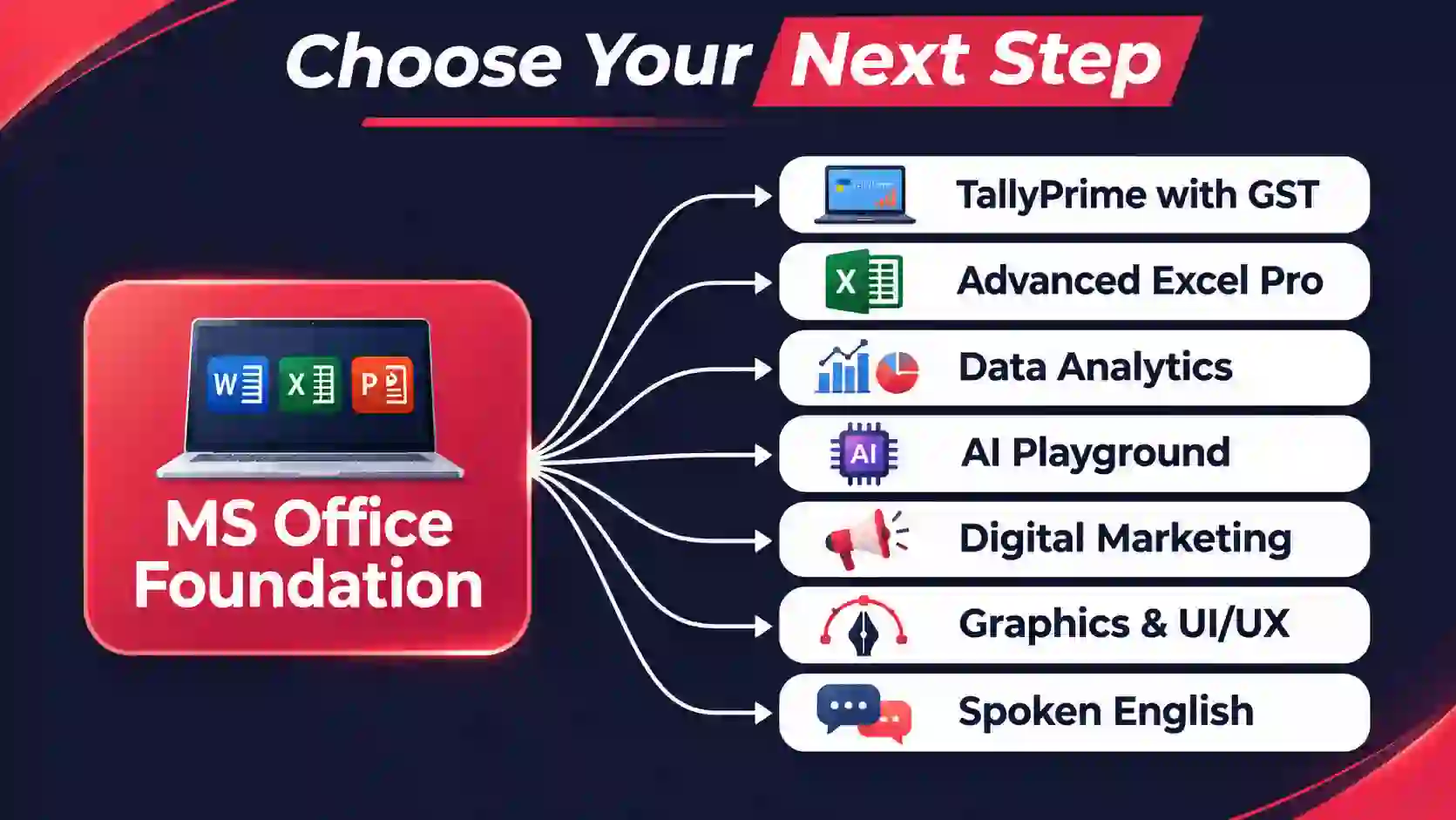
OfficeSmart is a foundation, not a destination. Once you finish, the right next course depends on three things: the area you are interested in, the kind of work you want to produce, and the job or role you are aiming for. There is no single correct path. Use the table as a guide and talk to a counsellor about your own situation.
| If your goal is… | You will enjoy work like… | Good next step |
|---|---|---|
| Accounts, billing or taxation work | Entries, invoices, GST returns, ledgers | TallyPrime with GST |
| Faster, smarter spreadsheets | Reports, lookups, dashboards, automation | Advanced Excel Pro |
| Working with data and insights | Finding patterns, building reports and charts | Data Analytics (with Power BI) |
| Using AI at work and study | Prompts, content, quick research, automation of small tasks | AI Playground |
| Marketing and online business | Social media, ads, content, campaigns | Digital Marketing |
| Creative and design work | Posters, layouts, app and website screens | Graphics and UI/UX Design |
| Better workplace communication | Meetings, calls, interviews, client talk | Spoken English |
If you cannot decide, that is normal. Many students discover their interest during the foundation course itself. Someone who enjoys the Excel weeks and likes making charts often moves toward data work. Someone who prefers the PowerPoint and Word weeks may lean toward marketing, design or communication. Someone who likes the careful, step-by-step nature of sheets and totals often finds accounting a natural fit. Your teacher will notice these patterns and can tell you what they see.
For students who want a view of the wider options, our computer courses in Kolkata page lists everything we teach, and our guide to choosing an IT training institute in Baguiati covers what to check about any institute before enrolling.
Three Typical Students
The cards below are illustrative examples based on the kinds of students who join us. The names are invented. They show how the same foundation course leads to different paths.
Riya, B.Com second year (illustrative). Riya joined an evening batch because her college assignments looked untidy and her Excel sheets kept breaking. By week eight she was building her own marks and expense sheets. She then enrolled in TallyPrime with GST, because she wanted to work in an accounts office after graduation.
Subrata, small shop owner in Baguiati (illustrative). Subrata took the weekend batch. He wanted to stop writing bills by hand and to keep a proper stock list. After the course he made his own quotation format and price sheet, and began using email and Google Sheets to share orders with his supplier.
Moumita, returning to work after a break (illustrative). Moumita had not used a computer professionally for several years. She joined a morning batch and found the small batch size reassuring. After the foundation course she chose Advanced Excel Pro to build speed for an office job in data entry and reporting.
Why Learn at Technosoft Academy
- 25 years of teaching. We have trained students in Baguiati since 2001, and more than 7,000 learners have passed through our classrooms.
- Small batches. Each batch holds 8 to 12 students, so your teacher sees your screen.
- One computer per student. Our air-conditioned labs give every learner a machine to practise on, and most of each class is practical work.
- Offline only. This MS Office course in Kolkata runs in the classroom at Baguiati. We do not offer it online, because for beginners, sitting next to a teacher works better.
- A clear next step. We offer accounting, advanced Excel, data analytics, AI, digital marketing, design and spoken English, so you can continue in the same place.
- Trusted locally. Technosoft Academy is ISO 9001:2015 certified and holds a 4.9-star rating from 193 Google reviews.
- Easy to reach. We are on VIP Road near the 44 Bus Stand, close to Lake Town, Kestopur, Rajarhat, Dum Dum, Chinar Park, Hatiara, Jyangra, New Town and the airport area.
A foundation is not the most exciting part of a building, but every floor above it depends on it.
Frequently Asked Questions
The fee starts from ₹3,950 plus GST. The exact amount depends on the batch and payment plan, and our counsellors can explain instalment options when you visit.
It runs for 12 weeks. Classes are held three days a week for two hours each, which adds up to 72 hours of training.
Yes. The course starts from the very beginning, with computer parts, Windows and file handling. No earlier knowledge is needed, and the batch moves at a pace that suits beginners.
It is fully offline, held in our classroom at Baguiati, VIP Road. We do not run it online.
Excel is taught at basic to intermediate level: data entry, formatting, everyday formulas and charts. It does not cover pivot tables, macros or data analysis. Students who want those topics can continue with Advanced Excel Pro.
Yes, at a basic level. You learn how to write clear prompts, draft emails, summarise text and check the answers, plus what kind of information you should never paste into an AI tool.
No course can promise that. OfficeSmart is a foundation that builds skills many entry-level office roles require. Your result depends on your practice, your other skills and the roles you apply for. We help you choose a next course that matches your goal.
You receive a training certificate from Technosoft Academy after completing the course and the final project. Technosoft Academy is ISO 9001:2015 certified.
Students normally join this course from Class 10 onwards. For younger students we run separate computer classes, which are described in our post on computer classes for school students in Kolkata.
We run morning, evening and weekend batches. The centre is open Monday to Saturday from 9am to 9pm and on Sunday from 12pm to 7pm.
It depends on your interest and goal. Accounting-minded students often choose TallyPrime with GST, spreadsheet-minded students choose Advanced Excel Pro or Data Analytics, and others choose AI, digital marketing, design or spoken English. A counsellor can help you pick.
Yes. Many students travel from Lake Town, Kestopur, Rajarhat, Dum Dum, Chinar Park, Hatiara, Jyangra, New Town and the airport area. The centre is on VIP Road near the 44 Bus Stand.
Build Your Office Foundation in 12 Weeks
Visit Technosoft Academy at Baguiati, VIP Road (near 44 Bus Stand) and ask our counsellors how the MS Office course in Kolkata fits your goals. No pressure, no hard sell.
Baguiati, VIP Road, Kolkata | Mon-Sat, 9am-9pm | Sunday, 12pm-7pm